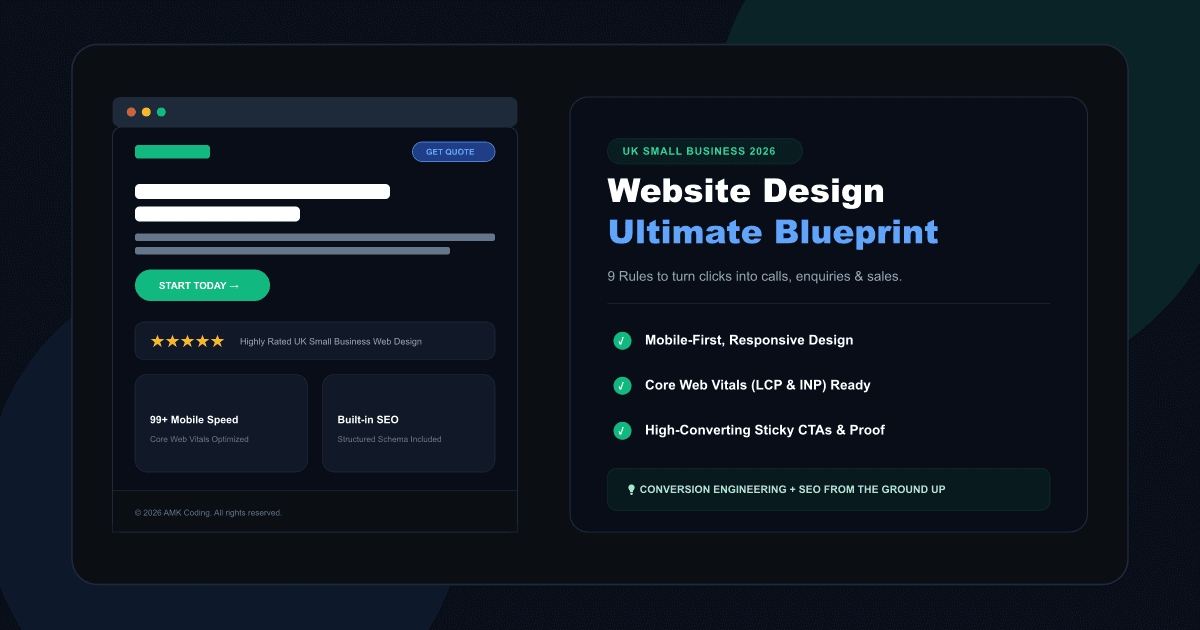
Website design is not just how your site looks. For a UK small business, your website design decides whether a visitor trusts you, understands your offer, finds your contact details and takes action. A beautiful website that does not generate enquiries is not a business asset — it is an expensive online poster.
This guide shows how to design a small business website that looks professional, loads quickly, supports SEO and turns visitors into leads. Use it as a practical checklist before redesigning your website or hiring a web design agency.
Google uses the mobile version of your site for indexing and ranking
Responsiveness is now part of Core Web Vitals
Accessibility should be designed in from the start
average documented ecommerce cart abandonment rate
In This Design Guide:
Why Website Design Matters for UK Small Businesses
People judge a business quickly online. Before they call you, book with you or request a quote, they silently check whether your website feels professional, clear and trustworthy. If the page is slow, confusing, outdated or hard to use on mobile, many visitors will leave before they ever read your offer.
Good design reduces doubt. It answers the visitor's first questions: am I in the right place, do they solve my problem, are they local, can I trust them, what should I do next? When those questions are answered clearly, enquiries become much easier to win.
Create clarity
Visitors should understand your service, location and next step within seconds.
Build trust
Reviews, case studies, real photos, guarantees and credentials remove buying anxiety.
Drive action
Every page should guide visitors toward calling, booking, buying or requesting a quote.
9 Website Design Rules That Turn Visitors into Customers
These are the practical design principles we recommend for small business websites, service businesses, local companies, consultants, trades, clinics and ecommerce brands.
Make the first screen brutally clear
Your hero section should not be vague. Avoid phrases like "digital solutions for modern businesses" unless the visitor instantly knows what you actually sell. A strong hero explains your service, your audience, your location and your main action.
We create digital experiences for ambitious brands.
Web design for UK small businesses that need more calls, bookings and enquiries.
Design mobile-first, not desktop-shrunk
A mobile-first website is planned for phone users first. That means large tap targets, short forms, sticky contact buttons, readable font sizes, fast loading images and no tiny menus that make visitors work too hard.
- Use large buttons with clear labels
- Keep forms short on mobile
- Place call and quote buttons near the top
- Avoid oversized images that slow the page
Treat speed as part of the design
Fast websites feel more professional and are easier to use. Design choices such as huge background videos, uncompressed images, too many fonts and heavy animation libraries can damage user experience before the visitor reads a single word.
How quickly the main content appears.
How quickly the page responds to interactions.
Whether elements jump around while loading.
Use visual hierarchy to control attention
Not everything on a page can be important. Strong website design makes the most important message the most visible. Headlines should be larger than body text, primary buttons should stand out, and sections should be spaced clearly so visitors can scan without effort.
Put trust signals before the visitor feels doubt
Most websites hide their proof too far down the page. Trust needs to appear early: reviews, real project images, accreditations, years of experience, client logos, before-and-after examples, case studies and clear contact details.
Design every page around one main action
A homepage may have several routes, but each service page should have one main conversion goal. Book a call. Request a quote. Start a project. Call now. Too many equal buttons create decision fatigue and lower conversion.
Create separate pages for separate services
Design and SEO work together. If all services are squeezed onto one page, Google has less context and visitors have less confidence. A web design agency, for example, should not rely on one generic services page if it wants to rank for web design, ecommerce development, SEO, landing pages and booking systems.
- One page per main service
- One clear H1 per page
- Service-specific FAQs
- Internal links between related services
- Location references where relevant
Make the website accessible and readable
Accessibility is not only for large organisations. Small business websites should be easy to use for people with visual, motor, cognitive and situational limitations. Good contrast, keyboard-friendly navigation, readable text, descriptive links and labelled forms make the website better for everyone.
Use clear fonts, short paragraphs and enough spacing.
Buttons, forms and menus should work with keyboard and touch.
Keep the design system consistent
A professional site feels intentional. Use consistent colours, button styles, spacing, icons, card shapes and section layouts. Inconsistent design makes a business feel less established, even when the actual service is excellent.
Consistency also makes future pages faster to build. Once your website has a design system, new service pages, landing pages and blog posts can be added without reinventing the layout every time.
Bad Website Design vs Good Website Design
Many small business websites do not fail because the business is bad. They fail because the page makes visitors work too hard. Here is the difference.
Looks fine, converts badly
- Vague headline that does not explain the service
- No clear phone number or contact button above the fold
- Generic stock images with no real proof
- All services listed on one thin page
- Slow loading hero video or oversized images
- Forms asking for too much information too early
- Weak contrast and tiny mobile text
Looks professional, drives action
- Clear headline showing service, audience and location
- Visible CTA buttons for calls, quotes or bookings
- Reviews, case studies and real project examples
- Dedicated service pages with useful content
- Optimised images and fast page loading
- Short forms matched to the buying stage
- Readable, accessible design on all screen sizes
How Website Design Supports SEO
SEO is not only keywords. The way a website is designed affects how easily Google can crawl it, how visitors use it and whether each page satisfies search intent. A modern small business website should be designed with SEO foundations built in, not added later as an afterthought.
| Design decision | SEO impact | Best practice |
|---|---|---|
| Mobile layout | Affects how Google indexes and ranks the page | Design key content and CTA placement for mobile first |
| Page speed | Affects user experience and Core Web Vitals | Compress images, avoid heavy scripts, use modern hosting |
| Heading structure | Helps search engines understand page topics | Use one H1, logical H2s and descriptive section headings |
| Internal links | Helps distribute authority and guide crawlers | Link from blog posts to service pages and between related services |
| Accessibility | Improves usability and content clarity | Use alt text, labels, contrast, keyboard-friendly controls and readable text |
| Service page layout | Matches commercial search intent | Include benefits, process, proof, FAQs and conversion CTA on each service page |
Ecommerce Design: Checkout Is Where Money Leaks
If you sell online, design is not finished when the homepage looks good. The product page, basket and checkout decide whether visitors actually complete the order. Small friction points — unclear delivery costs, forced account creation, weak product information or a confusing payment step — can quietly reduce revenue every day.
- Show delivery costs and returns information early
- Use clear product photos and benefit-led product descriptions
- Allow guest checkout where possible
- Keep basket and checkout steps simple
- Make payment methods visible before checkout
- Use trust badges only when they are genuine and relevant
Website Design Checklist for Small Businesses
Before launching or redesigning your website, use this checklist to catch the issues that usually cost small businesses leads.
| Priority | Check | Why it matters |
|---|---|---|
| Critical | Hero explains service, audience and location | Visitors instantly understand what you offer |
| Critical | Primary CTA visible above the fold | Makes the next step obvious |
| Critical | Mobile layout tested on real devices | Most users will judge the site on a phone |
| High | Images compressed and sized correctly | Improves speed and user experience |
| High | Each main service has its own page | Improves relevance for service searches |
| High | Reviews and proof appear before the CTA | Reduces anxiety before enquiry |
| Medium | Forms are short and easy to complete | Reduces friction and form abandonment |
| Medium | Footer includes contact details and key links | Supports trust, navigation and local SEO |
| Medium | Contrast, text size and keyboard use checked | Improves accessibility and usability |
A 10-Minute Website Design Audit You Can Do Today
Open your website on your phone and answer these questions honestly. If any answer is no, that is a design issue worth fixing.
Can you understand the service within 5 seconds?
Is there a visible call, quote or booking button near the top?
Can you read the text without zooming?
Does the page load quickly on mobile data?
Are reviews or proof visible before the first big CTA?
Can someone contact you without hunting through menus?
Does each service have a dedicated page?
Does the design feel consistent from page to page?
Frequently Asked Questions
What makes a good small business website design?+
How much does website design cost for a UK small business?+
Is website design important for SEO?+
Should my website be designed for mobile first?+
What pages does a small business website need?+
Sources and Further Reading
- Google Search Central — Mobile-first indexing and crawling optimization best practices.
- Google web.dev — Complete technical documentation on Interaction to Next Paint (INP) as a Core Web Vital.
- W3C Web Accessibility Initiative (WAI) — Web Content Accessibility Guidelines (WCAG) 2.2 implementation standards.
- Baymard Institute — Comprehensive e-commerce usability, product display, and checkout funnel checkout research.
Want a Website That Looks Premium and Converts?
AMK Coding designs and builds websites for UK small businesses with conversion, SEO, speed and mobile experience built in from day one. If your current website looks fine but does not bring enough enquiries, we can show you where the leaks are.
AMK Coding • UK Web Design • SEO-Ready Websites • Built for Leads
AMK Coding
AMK Coding (trading as PEOPLELY LTD) is a UK web development and digital product studio. We build professional websites, landing pages, ecommerce experiences and custom platforms with SEO, speed, mobile usability and conversion strategy built into the foundations.